Risky Vice Scheduled Break Reader P1 / 1 Risky Vice Scheduled Break Page 1 / 1 × Series Details Home Chapter Scheduled Break ⌄ Liberation (The End) 88p Liberation (4) 81p Liberation (3) 85p Scheduled Break 1p Liberation (2) 80p Liberation (1) 49p Fierce Battle (3) 91p Fierce Battle (2) 78p Fierce Battle (1) 91p Scheduled Break 1p Charge (1) 84p Counterattack (7) 88p Counterattack (6) 57p Counterattack (5) 83p Counterattack (4) 90p Scheduled Break 1p Counterattack (3) 103p Counterattack (2) 100p Counterattack (1) 90p Deal (5) 94p Deal (4) 94p Scheduled Break 1p Deal (3) 80p Deal (2) 84p Deal (1) 96p Hiatus 1p Intrusion (5) 89p Intrusion (4) 55p Scheduled Break 1p Intrusion (3) 91p Intrusion (2) 56p Intrusion (1) 34p Crack (3) 82p Crack (2) 82p Crack (1) 53p Trap (4) 50p Trap (3) 54p Trap (2) 61p Trap (1) 73p Creator's Note 3p Signs of Trouble (6) (Finale) 61p Signs of Trouble (5) 56p Signs of Trouble (4) 62p Signs of Trouble (3) 50p Signs of Trouble (2) 50p Signs of Trouble (1) 62p Reunion 55p End of Youth (9) 54p End of Youth (8) 56p End of Youth (7) 54p End of Youth (6) 46p End of Youth (5) 76p End of Youth (4) 120p End of Youth (3) 127p End of Youth (2) 113p End of Youth (1) 128p Black City (11) 136p Black City (10) 120p Black City (9) 136p Black City (8) 128p Black City (7) 144p Black City (6) 104p Black City (5) 175p Black City (4) 186p Black City (3) 98p Black City (2) 146p Black City (1) 121p Previous Next ↑
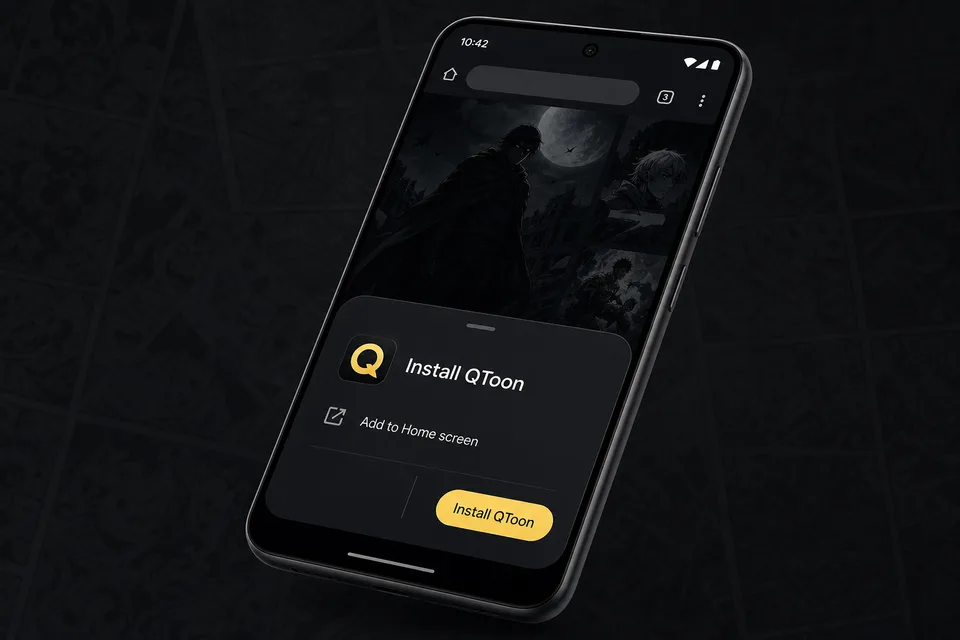
Android app mode Install QToon Add QToon to your home screen for a faster app-like reader, quick launch, and offline shell support. Tap Install now and confirm the browser install sheet. Open the browser menu and choose Add to Home screen. Launch QToon from the home screen icon. Install now Not now
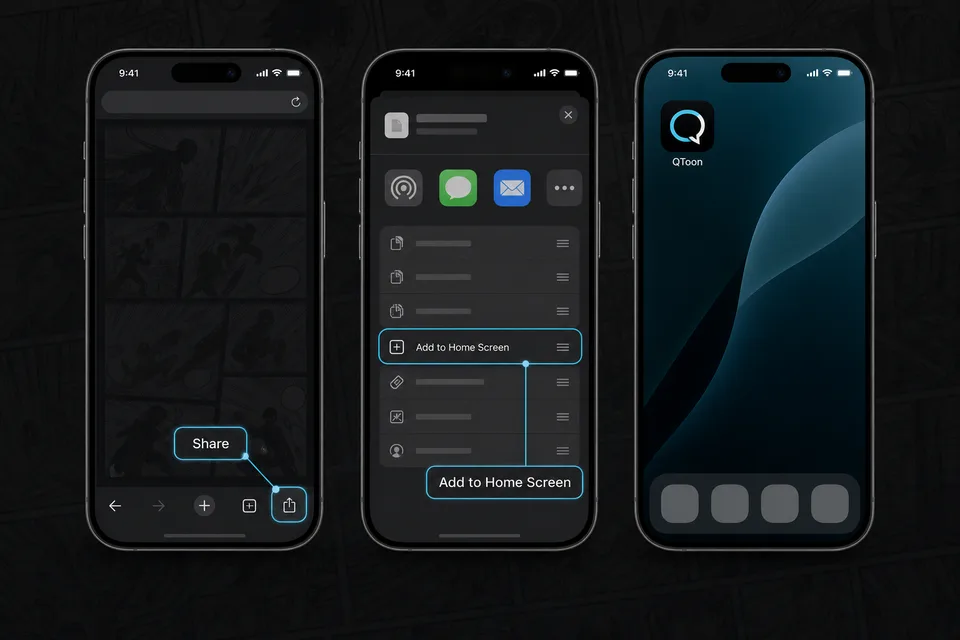
iPhone and iPad Add QToon to Home Screen iOS installs web apps from the browser share sheet. The QToon icon will open like a regular app after it is added. Tap the Share button in the browser toolbar. Choose Add to Home Screen. Confirm, then open QToon from the home screen. Got it