Wild Strawberry 1r0n Reader P1 / 1 Wild Strawberry 1r0n Page 1 / 1 × Series Details Home Chapter 1r0n ⌄ Always By My Side 35p Resolution 27p Connected 25p The Final Jinka 21p Truth 21p My Turn 25p Life on the Line 21p Grim Determination 25p Illustration 2p Last Hope 25p 1r0n 1p Glimmer 21p Despair 19p Illustration 2p Detachment 19p Confrontation 19p 1r0n 8p 1r0n 2p Emergence 28p Side Story 7p Illustration 1p Our Mentor 31p Illustration 1p Downpour 25p 1r0n 2p (1r0n) 23p (1r0n) 25p (1r0n) 26p (1r0n) 23p (1r0n) 24p (1r0n) 21p (1r0n) 22p (1r0n) 30p (1r0n) 22p (1r0n) 23p (1r0n) 24p (1r0n) 25p (1r0n) 20p (1r0n) 23p (1r0n) 23p (1r0n) 31p (1r0n) 27p (1r0n) 30p (1r0n) 25p (1r0n) 25p Illustration 1p (1r0n) 20p Illustration 7p (1r0n) 31p (1r0n) 33p (1r0n) 31p (1r0n) 26p (1r0n) 27p (1r0n) 26p (1r0n) 26p (1r0n) 27p (1r0n) 32p (1r0n) 35p (1r0n) 37p (1r0n) 44p (1r0n) 84p Previous Next ↑
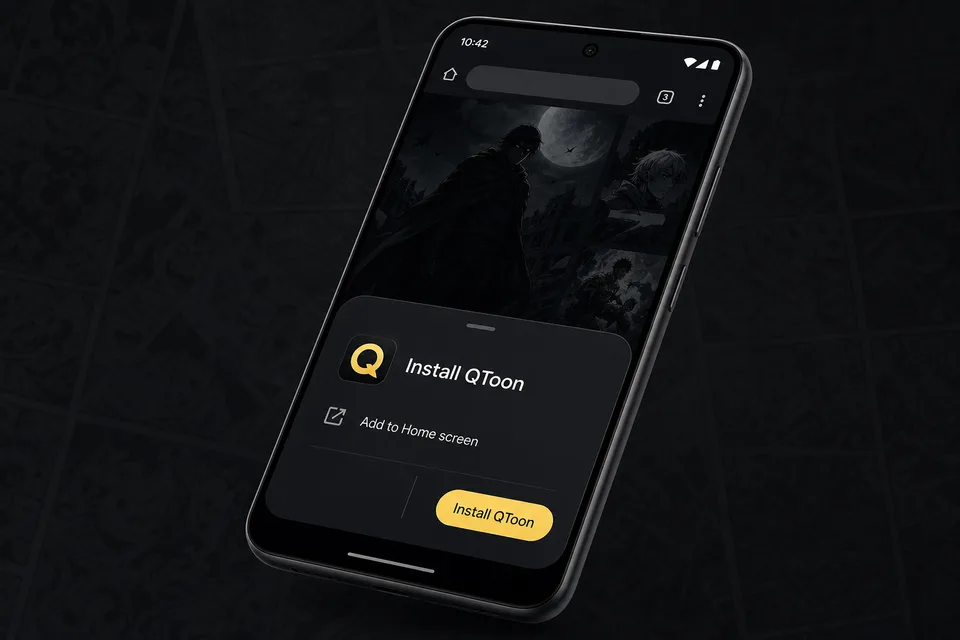
Android app mode Install QToon Add QToon to your home screen for a faster app-like reader, quick launch, and offline shell support. Tap Install now and confirm the browser install sheet. Open the browser menu and choose Add to Home screen. Launch QToon from the home screen icon. Install now Not now
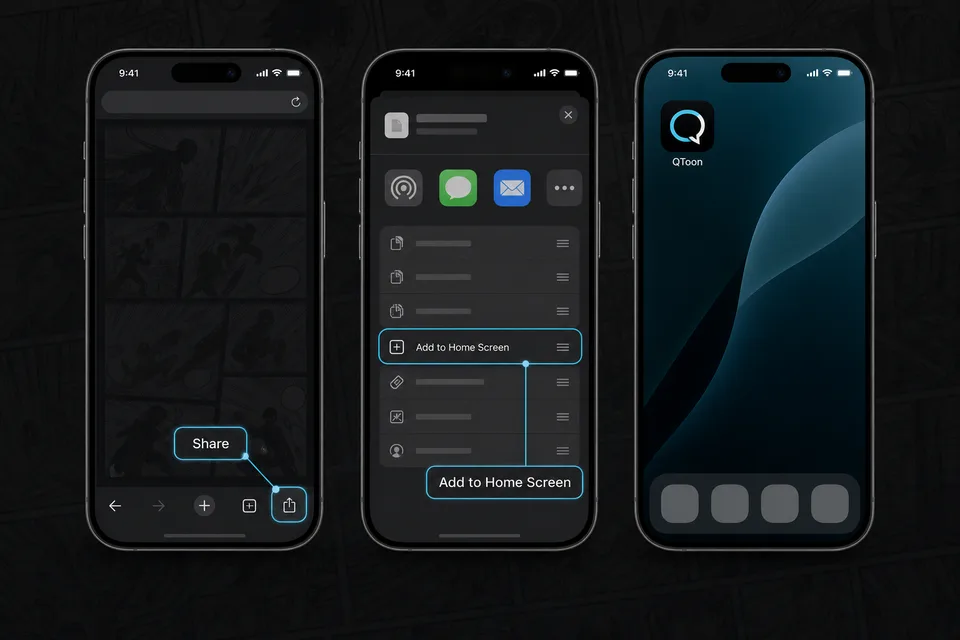
iPhone and iPad Add QToon to Home Screen iOS installs web apps from the browser share sheet. The QToon icon will open like a regular app after it is added. Tap the Share button in the browser toolbar. Choose Add to Home Screen. Confirm, then open QToon from the home screen. Got it