Please Take Care Notice Reader P1 / 1 Please Take Care Notice Page 1 / 1 × Series Details Home Chapter Notice ⌄ Ch. 42 127p Ch. 41 121p Ch. 40 119p Ch. 39 113p Ch. 38 82p Ch. 37 110p Ch. 36 105p Ch. 35 140p Ch. 34 133p Ch. 33 110p Ch. 32 90p Ch. 31 97p Magic Only a Celestial Maiden Can See 22p Let Me Take You Up on This 10p Resuming Your Reading Playli 15p It’s On the Way 14p I Grab Everything 12p Take Them As They Come 11p Do You Have Some Ulterior Motives? 11p I Can Teach You Again 12p I’m Engaged 11p What’s In It For Me? 10p Don’t Toy With People’s Feelings 79p You’ve Read It Before Too? 115p You Want to “Help Me”? 13p Hands-On Learning 12p Help You Tie It Up? 15p Can I Pursue You? 13p Why Don’t We Try Dating? 10p You’re Sure You Don’t Know How? 11p Oh? Boyfriend? 11p How About Today? 11p Either Commit, Or Don’t Start At All 90p What Do You Think? 13p Please, Upperclassman? 10p Are You Stable Now? 11p She’s Pretty Interesting 97p Beyond Just Having Met 10p Easier to Explain to the Parents 8p Take Two 10p Take You Home 9p Notice 1p The Blind Date Was An Ex-Boyfriend?! 11p Previous Next ↑
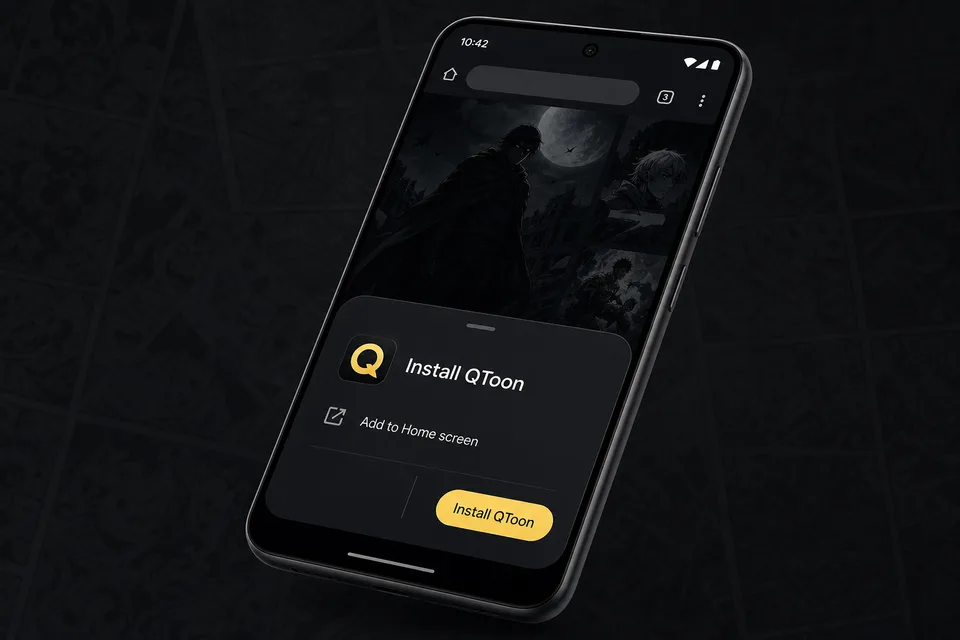
Android app mode Install QToon Add QToon to your home screen for a faster app-like reader, quick launch, and offline shell support. Tap Install now and confirm the browser install sheet. Open the browser menu and choose Add to Home screen. Launch QToon from the home screen icon. Install now Not now
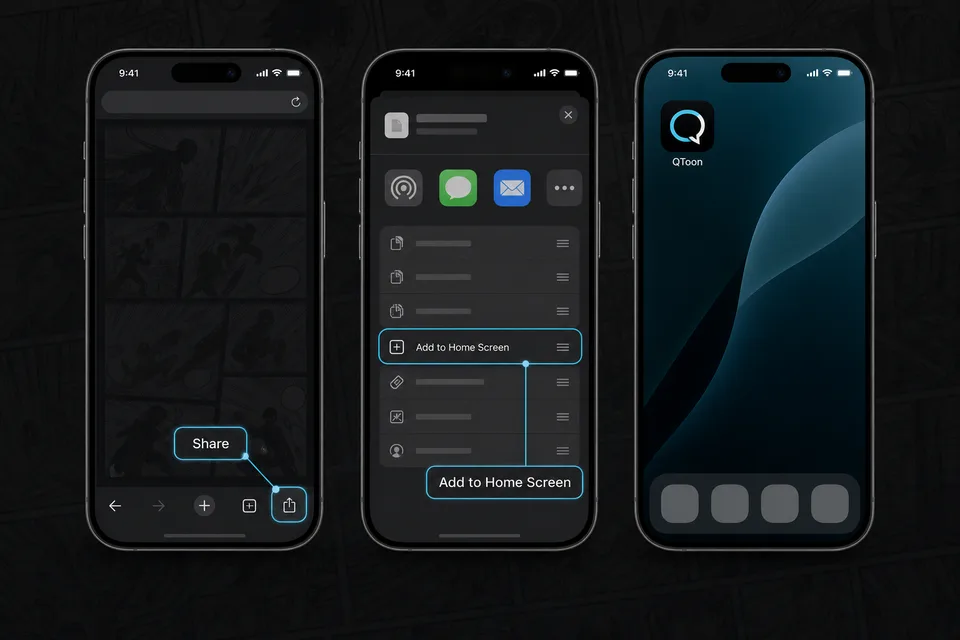
iPhone and iPad Add QToon to Home Screen iOS installs web apps from the browser share sheet. The QToon icon will open like a regular app after it is added. Tap the Share button in the browser toolbar. Choose Add to Home Screen. Confirm, then open QToon from the home screen. Got it