0 and 1 Notice: Dropped Reader P1 / 1 0 and 1 Notice: Dropped Page 1 / 1 × Series Details Home Chapter Notice: Dropped ⌄ Ch. 54 94p Ch. 53 111p Ch. 52 95p Ch. 51 77p Ch. 50 90p Ch. 49 142p Ch. 48 153p Ch. 47 147p Ch. 46 198p Ch. 45 272p Ch. 44 133p Ch. 43 153p Ch. 42 179p creator note 28p End of season 1 86p Ch. 40 43p Ch. 39 49p Ch. 38 60p Ch. 37 43p Ch. 36 40p Ch. 35 47p Ch. 34 45p Ch. 33 56p Ch. 32 53p Ch. 31 62p Ch. 30 101p Ch. 29 96p Ch. 28 96p Ch. 27 65p Ch. 26 65p Ch. 25 45p Ch. 24 111p Ch. 23 51p Ch. 22 65p Ch. 21 116p Ch. 20 81p Ch. 19 40p Ch. 18 109p Ch. 17 29p Ch. 16 61p Ch. 15 115p Ch. 14 52p Ch. 13 39p Ch. 12 47p Ch. 11 106p Ch. 10 33p Ch. 9 83p note from uploader 33p Ch. 7 76p Ch. 6 31p Ch. 5 26p Ch. 4 30p Ch. 3 28p Ch. 2 28p Notice: Dropped 1p Ch. 1 35p Previous Next ↑
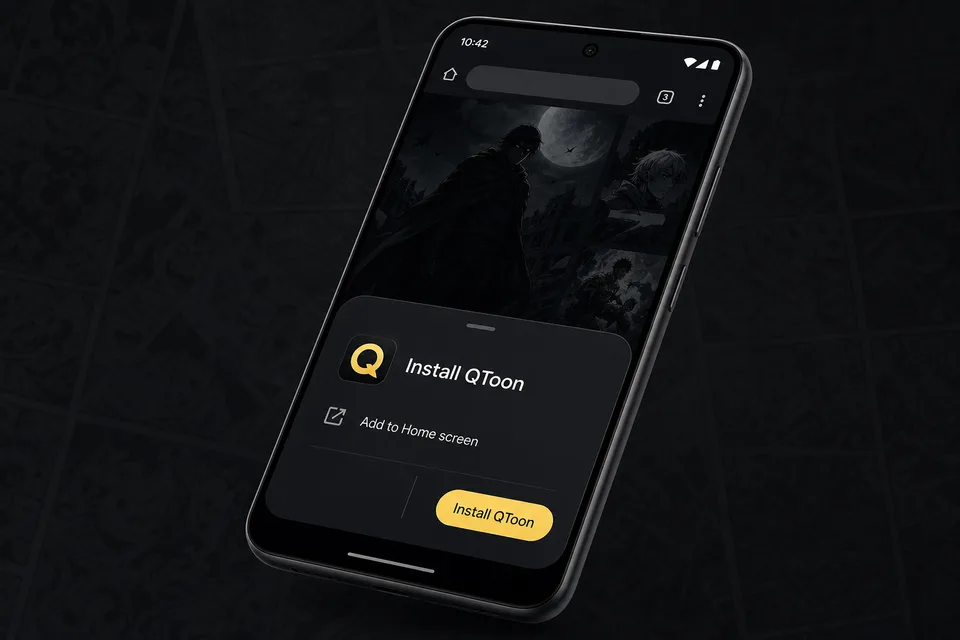
Android app mode Install QToon Add QToon to your home screen for a faster app-like reader, quick launch, and offline shell support. Tap Install now and confirm the browser install sheet. Open the browser menu and choose Add to Home screen. Launch QToon from the home screen icon. Install now Not now
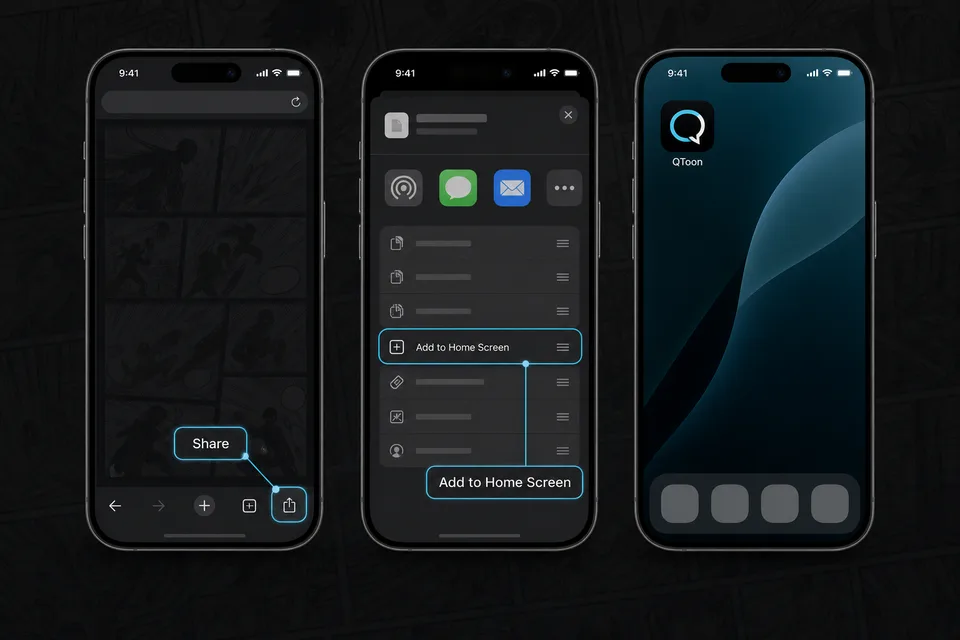
iPhone and iPad Add QToon to Home Screen iOS installs web apps from the browser share sheet. The QToon icon will open like a regular app after it is added. Tap the Share button in the browser toolbar. Choose Add to Home Screen. Confirm, then open QToon from the home screen. Got it