Skip to content
QToon Webtoon and Manga
Home Trending Genre Library
Feng Qi Cang Lan

Ch.377

Page 1
Page 2
Page 4
Page 5
Page 7
Page 8
Back to Series Details Back to Home
Previous Chapter 376 Next Chapter 378
Feng Qi Cang Lan

Ch.377

Page 1 / 8

Series Details Home
Ch.394 36p Ch.393 34p Ch.392 37p Ch.391 40p Ch.390 24p Ch.389 29p Ch.388 30p Ch.387 33p Ch.386 39p Ch.385 28p Ch.384 37p Ch.383 32p Ch.382 33p Ch.381 29p Ch.380 29p Ch.379 22p Ch.378 34p Ch.377 8p Ch.376 9p Ch.375 8p
Previous Next
Home Trending Genre Library
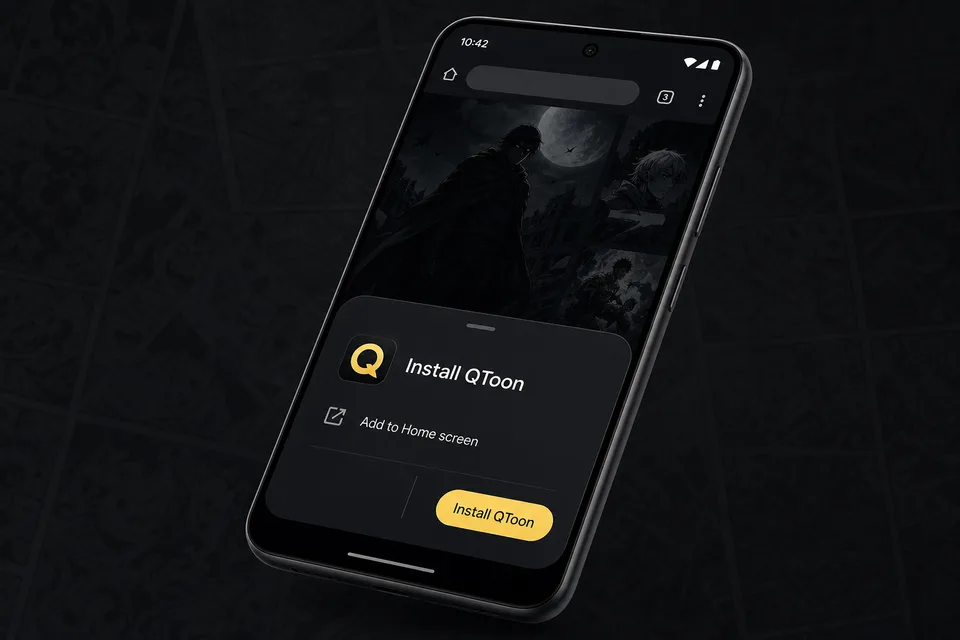
Android app mode

Install QToon

Add QToon to your home screen for a faster app-like reader, quick launch, and offline shell support.

  1. Tap Install now and confirm the browser install sheet.
  2. Open the browser menu and choose Add to Home screen.
  3. Launch QToon from the home screen icon.
Android browser install prompt for QToon
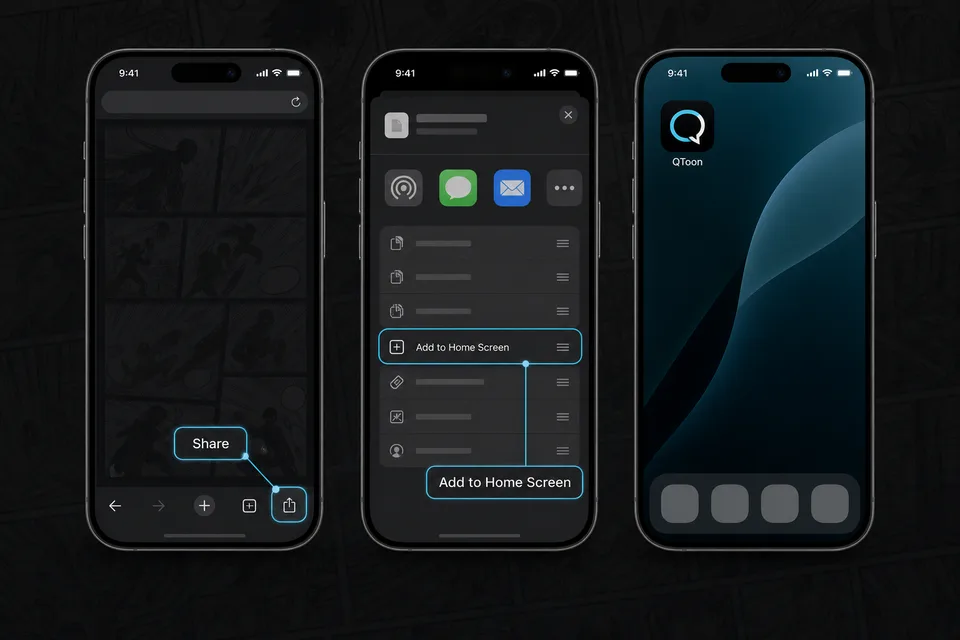
iPhone and iPad

Add QToon to Home Screen

iOS installs web apps from the browser share sheet. The QToon icon will open like a regular app after it is added.

  1. Tap the Share button in the browser toolbar.
  2. Choose Add to Home Screen.
  3. Confirm, then open QToon from the home screen.
iOS share menu showing Add to Home Screen for QToon