Mania (Official) Chapter 0 Reader P1 / 1 Mania (Official) Chapter 0 Page 1 / 1 × Series Details Home Chapter Chapter 0 ⌄ Chapter 63 29p Chapter 62 27p Chapter 61 25p Chapter 60 28p Chapter 59 25p Chapter 58 23p Chapter 57 23p Chapter 56 21p Chapter 55 20p Chapter 54 22p Chapter 53 20p Chapter 52 24p Chapter 51 25p Chapter 50 25p Chapter 49 21p Chapter 48 22p Chapter 47 24p Chapter 46 23p Chapter 45 18p Chapter 44 21p Chapter 43 20p Chapter 42 18p Chapter 41 15p Chapter 40 16p Chapter 39 16p Chapter 38 18p Chapter 37 16p Chapter 36 17p Chapter 35 16p Chapter 34 16p Chapter 33 22p Chapter 32 16p Chapter 31 18p Chapter 30 16p Chapter 29 17p Chapter 28 16p Chapter 27 16p Chapter 26 16p Chapter 25 16p Chapter 24 17p Chapter 23 16p Chapter 22 16p Chapter 21 16p Chapter 20 16p Chapter 19 16p Chapter 18 16p Chapter 17 16p Chapter 16 21p Chapter 15 21p Chapter 14 16p Chapter 13 22p Chapter 12 17p Chapter 11 16p Chapter 10 22p Chapter 9 21p Chapter 8 23p Chapter 7 22p Chapter 6 24p Chapter 5 17p Chapter 4 51p Chapter 3 54p Chapter 2 52p Chapter 1 46p Chapter 0 1p Previous Next ↑
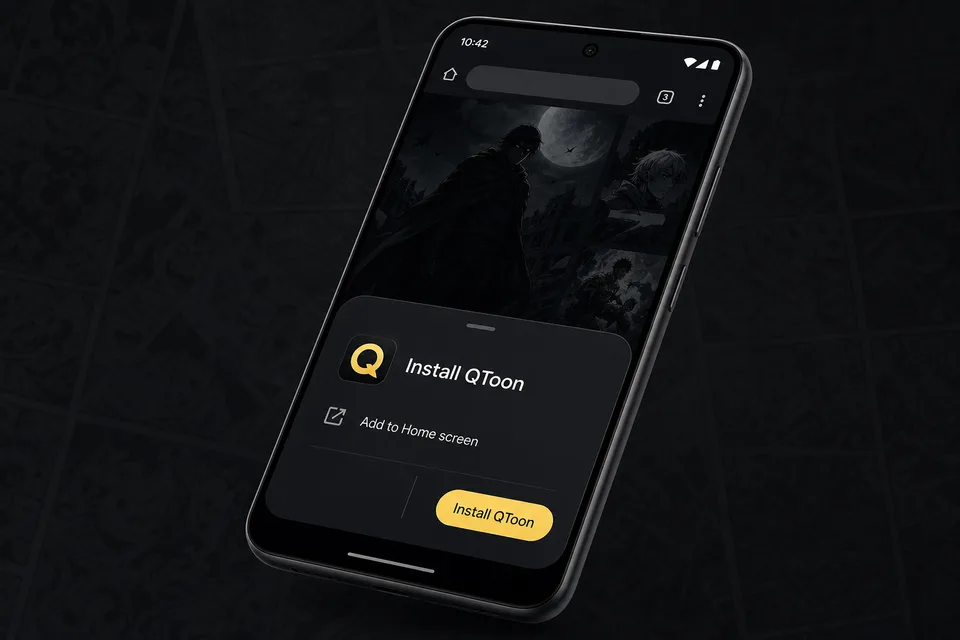
Android app mode Install QToon Add QToon to your home screen for a faster app-like reader, quick launch, and offline shell support. Tap Install now and confirm the browser install sheet. Open the browser menu and choose Add to Home screen. Launch QToon from the home screen icon. Install now Not now
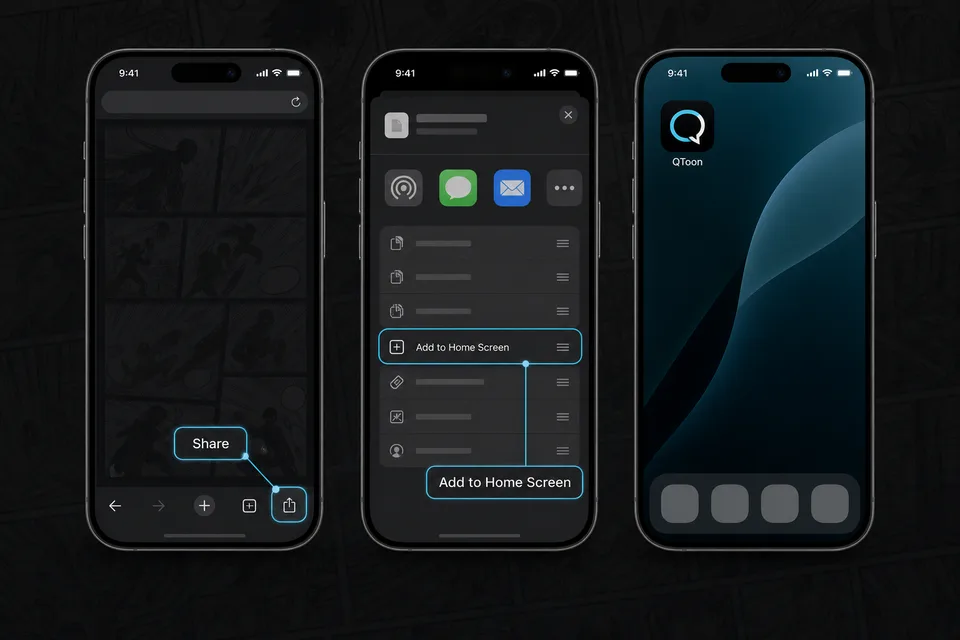
iPhone and iPad Add QToon to Home Screen iOS installs web apps from the browser share sheet. The QToon icon will open like a regular app after it is added. Tap the Share button in the browser toolbar. Choose Add to Home Screen. Confirm, then open QToon from the home screen. Got it