Soulmate Episode 10 Reader P1 / 2 Soulmate Episode 10 Page 1 / 2 × Series Details Home Chapter Episode 10 ⌄ Episode 00 1p Episode 01 5p Episode 02 7p Episode 03 6p Episode 04 7p Episode 05 5p Episode 06 10p Episode 07 11p Episode 08 12p Episode 09 12p Episode 10 2p Episode 11 13p Episode 12 13p Episode 13 - Couple Photo 10p Episode 14 - Exercise 33p Episode 15 - Swimming 41p Episode 16 - Suspended 57p Episode 17 - Meeting Friends 16p Episode 18 - Red Umbrella 18p Episode 19 - Preoccupied 21p Episode 20 - Turning Point 19p Episode 21 - Secret 16p Episode 22 - Going Home 12p Episode 23 - Secret Love 14p Episode 24 - Confession 11p Episode 25 - Cracks 9p Episode 26 - Confession 11p Episode 27 - Answer 38p Episode 28 - Apologies 10p Episode 29 - Flower Viewing 11p Episode 30 - Spiral 13p Episode 31 - Confrontation 11p Episode 32 - Physical Examination 17p Episode 33 - Unveil 12p Episode 33.1 - Unveil - Heart Warming For Impending Mass Release 12p Episode 34 - Show's Finale 12p Episode 35 - Intertwine 12p Episode 36 - Decision 14p Episode 37 - Breaking Point 12p Episode 37.5 - Extra Camping 10p Episode 38 - New Years 19p Episode 39 - Surprise 16p Episode 40 - Rainbow [End] 16p Episode 40.4 - Extra 10p Episode 40.5 - The Secret of an Unrequited Love 32p Episode 40.6 - Happy Valentine's Day! 2p Episode 40.7 - Special Announcement 10p Episode 40.8 - Extra 32p Previous Next ↑
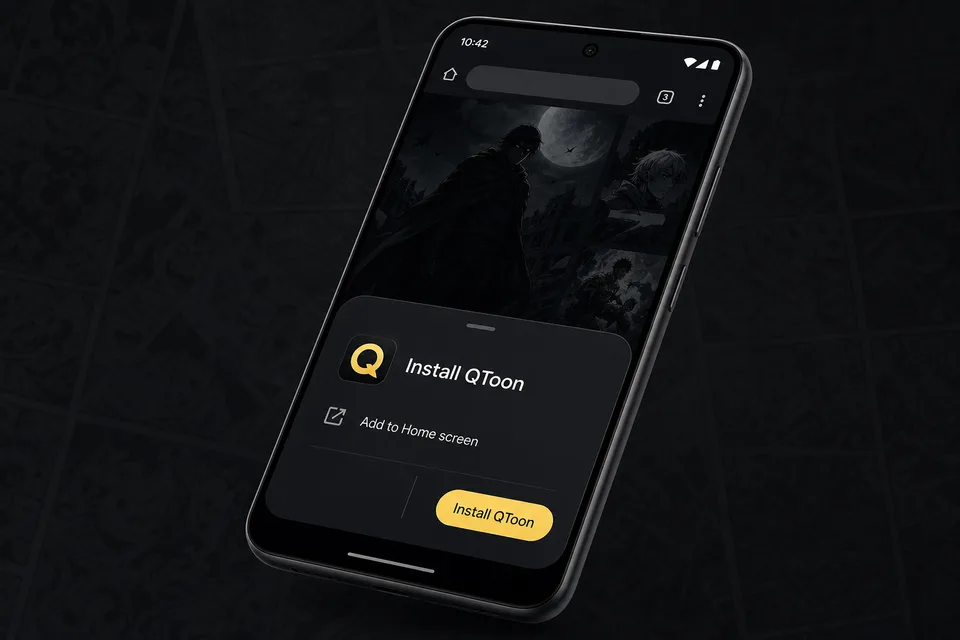
Android app mode Install QToon Add QToon to your home screen for a faster app-like reader, quick launch, and offline shell support. Tap Install now and confirm the browser install sheet. Open the browser menu and choose Add to Home screen. Launch QToon from the home screen icon. Install now Not now
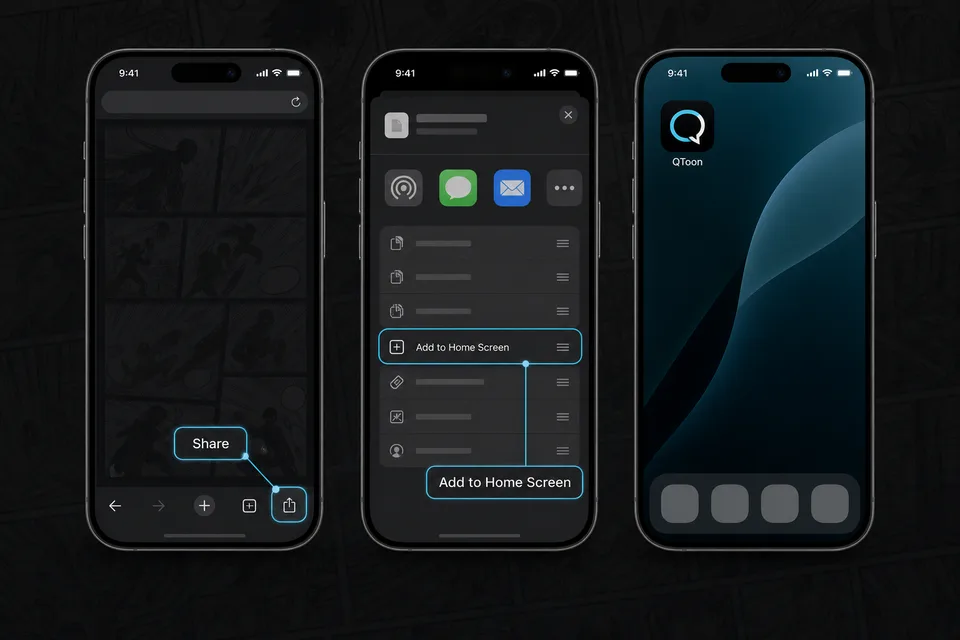
iPhone and iPad Add QToon to Home Screen iOS installs web apps from the browser share sheet. The QToon icon will open like a regular app after it is added. Tap the Share button in the browser toolbar. Choose Add to Home Screen. Confirm, then open QToon from the home screen. Got it