Whimsy Whimsy Witch I'm ready! Reader P1 / 1 Whimsy Whimsy Witch I'm ready! Page 1 / 1 × Series Details Home Chapter I'm ready! ⌄ EPILOGUE : Whimsy Whimsy Witches 6p PAGE 50 to the END just because. 13p Ch. 49 1p Ch. 48 1p Ch. 47 1p Ch. 46 1p Ch. 45 1p Ch. 44 1p Ch. 43 1p Ch. 42 1p Ch. 41 1p A Velentine's Special 6p Please hear me out 1p look at the T 1p Caught 1p ... 1p ... 1p He's doing it 1p Back to the present 1p Ride a thousand winds with you 4 1p Ride a thousand winds with you 3 1p Ride a thousand winds with you 2 1p Ride a thousand winds with you 1 1p Oh shoot 1p I'm ready! 1p Are you ready? 1p Let's go 2 1p Let's go 1 1p You gotta see my duck 1p Accept all cookies 1p Pushy pushy 1p Lucky boi 1p Understandable 1p How I met you 1p That way 1p I want... 1p Tell me why? 1p Oh no 1p Must have been the tea 1p Cough 1p Tea time 2 1p Tea time 1 1p Sob 1p Eat it 1p Stalky cookies 1p Nice 1p Sus 1p Question 1p It's magic baby 1p Eh? 1p The witch and the frog 1p Previous Next ↑
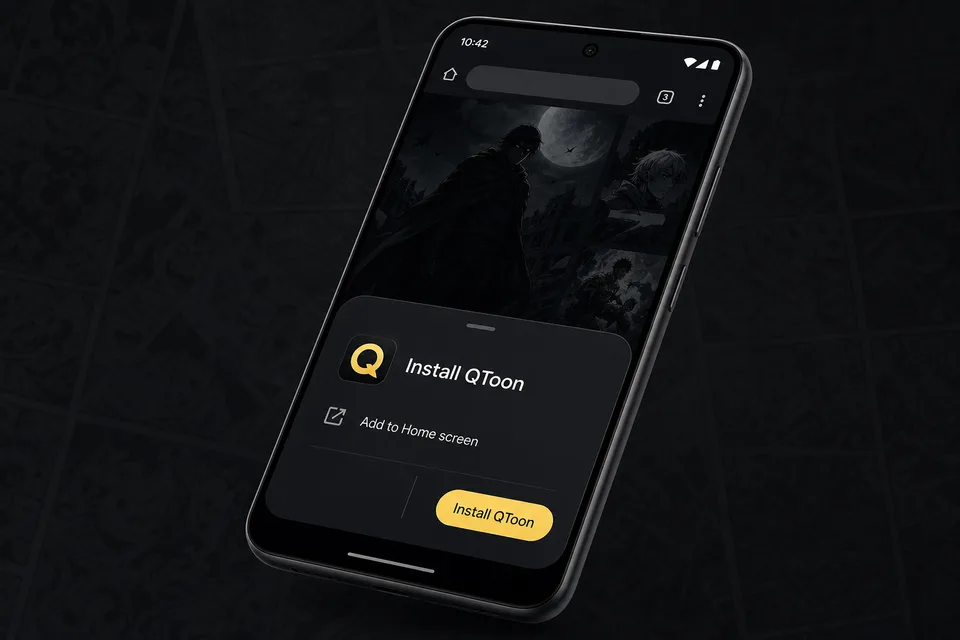
Android app mode Install QToon Add QToon to your home screen for a faster app-like reader, quick launch, and offline shell support. Tap Install now and confirm the browser install sheet. Open the browser menu and choose Add to Home screen. Launch QToon from the home screen icon. Install now Not now
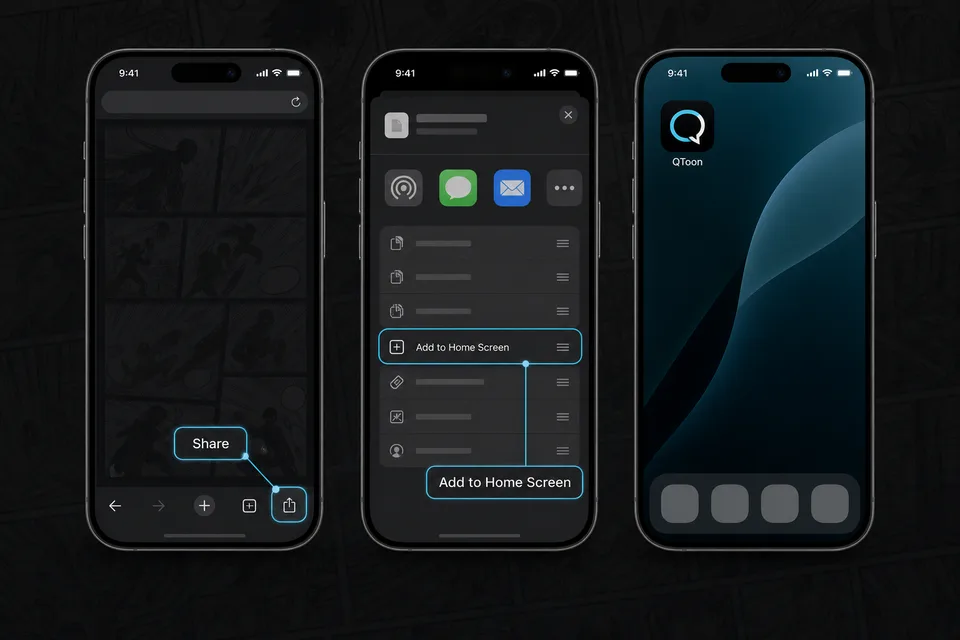
iPhone and iPad Add QToon to Home Screen iOS installs web apps from the browser share sheet. The QToon icon will open like a regular app after it is added. Tap the Share button in the browser toolbar. Choose Add to Home Screen. Confirm, then open QToon from the home screen. Got it